Posts

How to Detect Malicious OAuth Device Code Phishing
Image
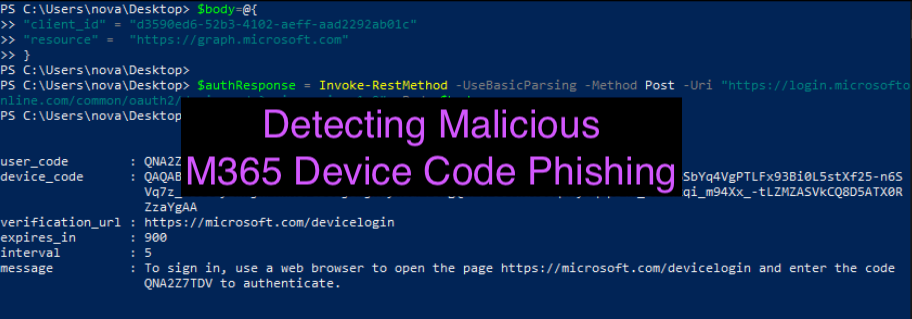
  In this brilliant blog ( https://aadinternals.com/post/phishing/ ) by @DrAzureAD, he introduced a method of phishing M365 accounts that threat actors can leverage by abusing device code authentication. There have been a lot of great blogs citing this technique but not much written about the detection… which is why I am here 🙂 The reason I am writing about this technique is that it’s significantly more difficult to detect than OAuth abuse for malicious application registrations. The reason for this is, the entire premise of the phish occurs within the microsoftonline.com namespace and does not redirect the user to any third-party website and there is no need for any 3rd party application authorization/registration. This method of phishing also bypasses MFA requirements as the attacker gains access to the user’s refresh and access token. I wanted to revisit this technique and blog about a detection for this type of attack. As usual, I’ve broken this blog post into two sections: At...

Recovering Cleared Browser History - Chrome Forensics

Image
  Hello naughty sysadmin... I've been watching your search history this Summer O_o How do you detect when a user deletes their chrome history and is there a way to forensically recover it? The answer is… it depends. ðŸ˜ˆ A good indicator for recovering what a user was doing when they deleted their chrome browser history is by checking inside the C:\Users\<name>\AppData\Local\Google\Chrome\User Data\Default\Sessions folder. The two files you need to look at are named: Session_<Webkit/Chrome date> Tabs_<Webkit/Chrome date> The session file stores session information and the tabs file stores what tabs they had opened. In a certain situation when a user CLEARS their Chrome history, what they were browsing can persist within these files.  There are a few potential cases that could have occurred, and we will go through all of them: A user cleared their history and did not use Chrome since A user clears their history and re-opened ONE new session A user clears th...

How to Investigate Insider Threats (Forensic Methodology)

Image
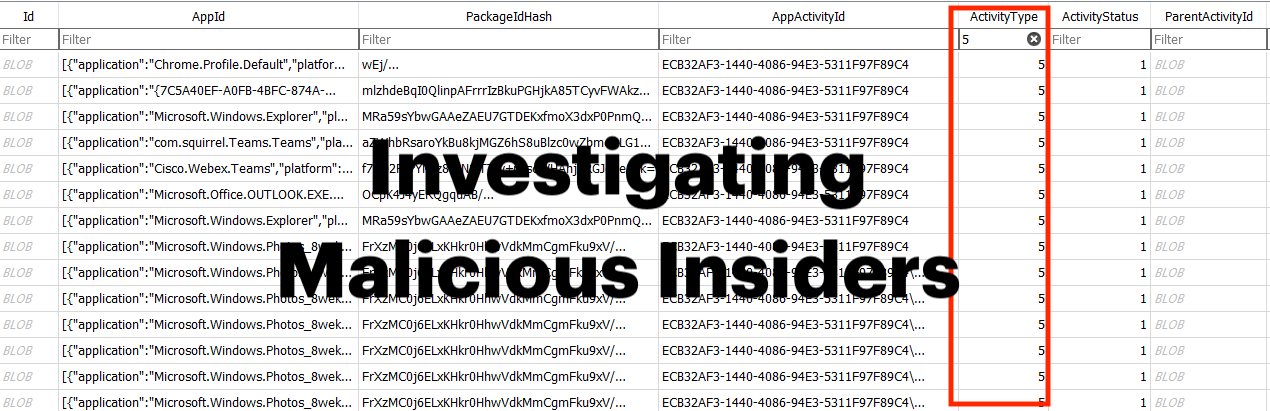
Insider threats are unfortunately a real and active threat. The forensic investigation of a suspected insider follows a different approach in methodology than the classic methodology for investigating threat actors. The main difference between insider jobs and other jobs is the fact that clients usually want a timeline of both activity around the “malicious action” and also a timeline of “legitimate” activity leading up to, during and post the malicious actions to remove reasonable doubt that it was somebody else. During an insider job, artefacts that show system wake/hibernation, or artefacts proving a user opened something on their taskbar are just as important as the malicious activity itself depending on the client needs. For these cases, analysts should *consider* create TWO timelines depending on the client needs and the nature of the incident: One timeline for malicious activity One timeline capturing ALL relevant activity showing what the user was actively doing since being...

Forensic Detection of Files Deleted via SDelete

Image
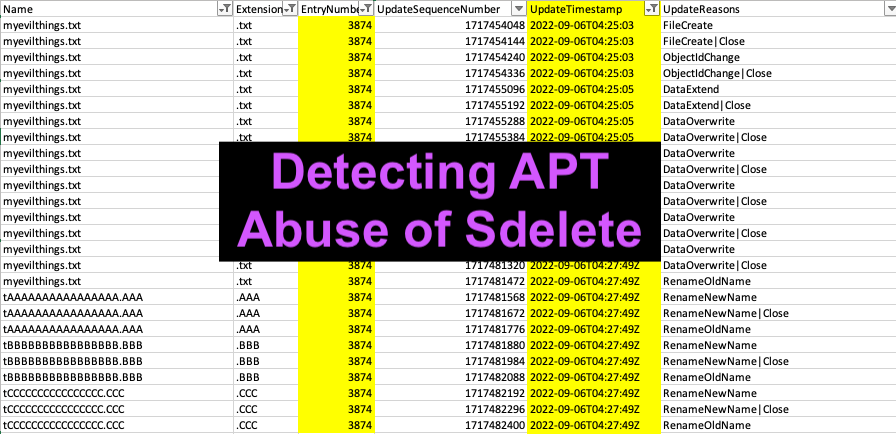
Russian nation-state adversaries abuse the tool “sdelete” to perform file deletion of their attack files. Sdelete is still being used by IRON HEMLOCK (APT29)  in 2022 as a part of defence evasion. The tool “sdelete” was created by Mark Russinovich and is used to securely prevent files from being recovered through deleting the file and overwriting the file data in unallocated portions of the disk. What's annoying about this tool is it shows artefacts with overwritten filenames "AAAAAA.AAA" instead of the original name. This is a quick forensics write-up demonstrating that you can in fact, recover the original file names from analysis of $J.  DETECTION METHODOLOGY When sdelete is utilised, it leaves obvious traces in the USN Journal, $J file where 26 unique entries will be created in alphabetic order as pictured below. This is a dead giveaway that “sdelete” was utilised by the threat actors. The best way to review the $J file is to parse by the Entry Number. This correspon...

How to Detect OAuth Access Token Theft in Azure

Image
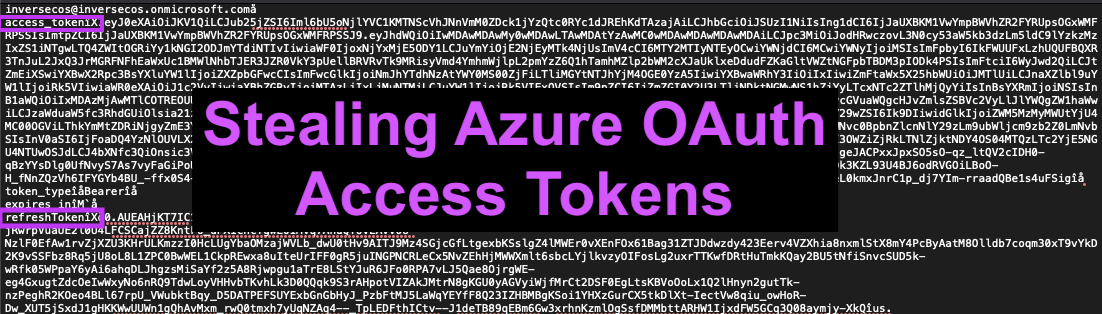
Stealing access tokens to gain access to a user’s account in Azure is a technique that’s been actively used by threat groups over the past few years. I’ve observed this technique in several engagements across the past few years from Chinese APT groups. Generally, this is done through a spear phishing / phishing email with a link that requires a user to grant access to a malicious application through OAuth’s authorization code flow. This enables the attacker-controlled application to access the user’s data. I’ve broken the blog into two components: Attack overview Detection methodology ATTACK OVERVIEW The attacker will register a malicious application and generate a phishing link in an email that takes a user to a page that looks like the image below. This will generally show information including the app name (in this instance it’s listed as “evilapp”) – whether the app is verified / unverified and then the option to accept or not.  Just a side note: in almost every instance, the t...

Detecting Linux Anti-Forensics: Timestomping

Image
  Threat actors can modify the timestamps on malicious files to evade detection.  This technique has been used time and time again across various APT and opportunistic threat groups. How do you detect this when auditd, bash history and EDR does not exist? I notice basically all writeups on timestomping detection on Linux focus solely on looking at command-line usage of "touch". I'm here to offer you a different method. I will cover TWO techniques to perform timestomping and offer a different method of detection that doesn’t rely on auditd, command line logging or EDR. Why should you care? Because inexperienced analysts may notice a specific malicious file being created outside of an attack window and consider that the compromise timeframe may be even earlier than what it is. Further, the analyst may completely disregard a file as an attacker-based tool if it is completely outside of the timeframe. I’m here to help :)  This blog is structured in four sections: Timestomping...

Hunting for APT Abuse of Exchange

Image
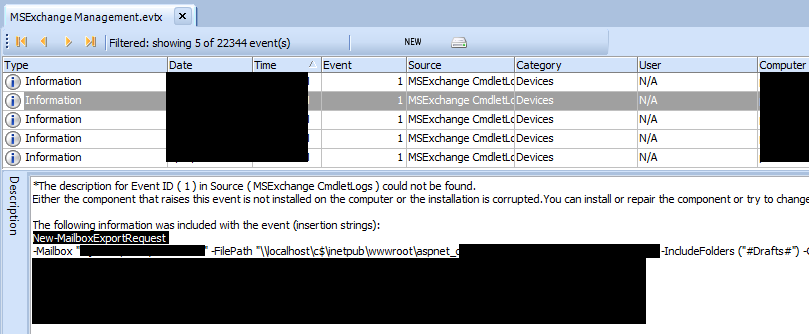
  APT abuse of Exchange is not a new topic, but I noticed there weren’t enough write-ups of hunting methodologies, so I decided to write one based on the various attack techniques I’ve seen various APTs use over the last 2 years. This is not a comprehensive guide as there honestly is WAY too much for me to write and cover (I don’t have enough time T_T but will add to this post over time). I’m going to show you specifically some key areas you can focus on when hunting for malicious behaviour. This guide will not cover the entire attack map of what happens in an APT case where Exchange is abused, it will only cover key areas to hunt on Exchange.    Over the course of the last few years there has been a heavy abuse of legacy authentication from APT groups from various nations, with a strong focus especially on EWS and other legacy auth methods as their preferred method of access. If there is a business need for legacy authentication… (aka you still have legacy authentication...